By David Farkas, LeicaStore Miami
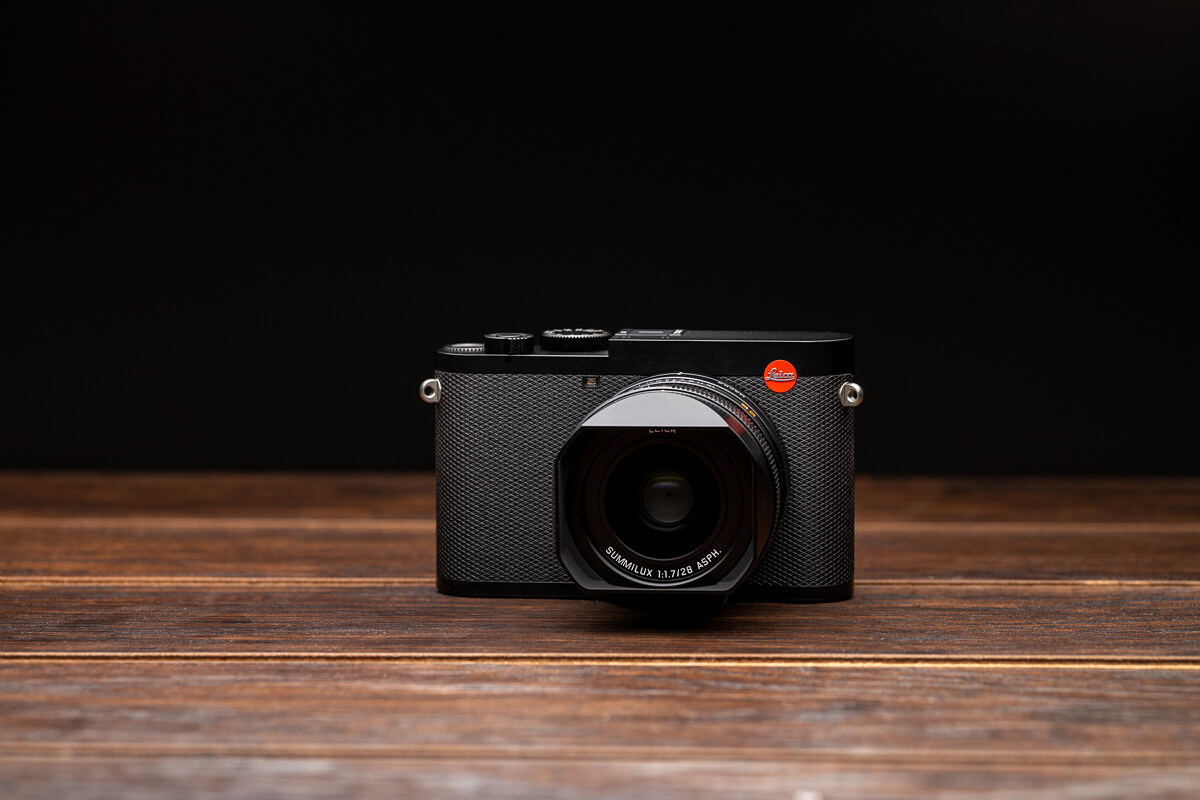
When Leica Camera announced the Leica Q2, it was the highly anticipated successor to the popular Leica Q (Typ 116). The new model keeps the same compact form factor and exceptional 28mm f/1.7 Summilux ASPH lens, but offers notable and quite significant improvements over its predecessor.
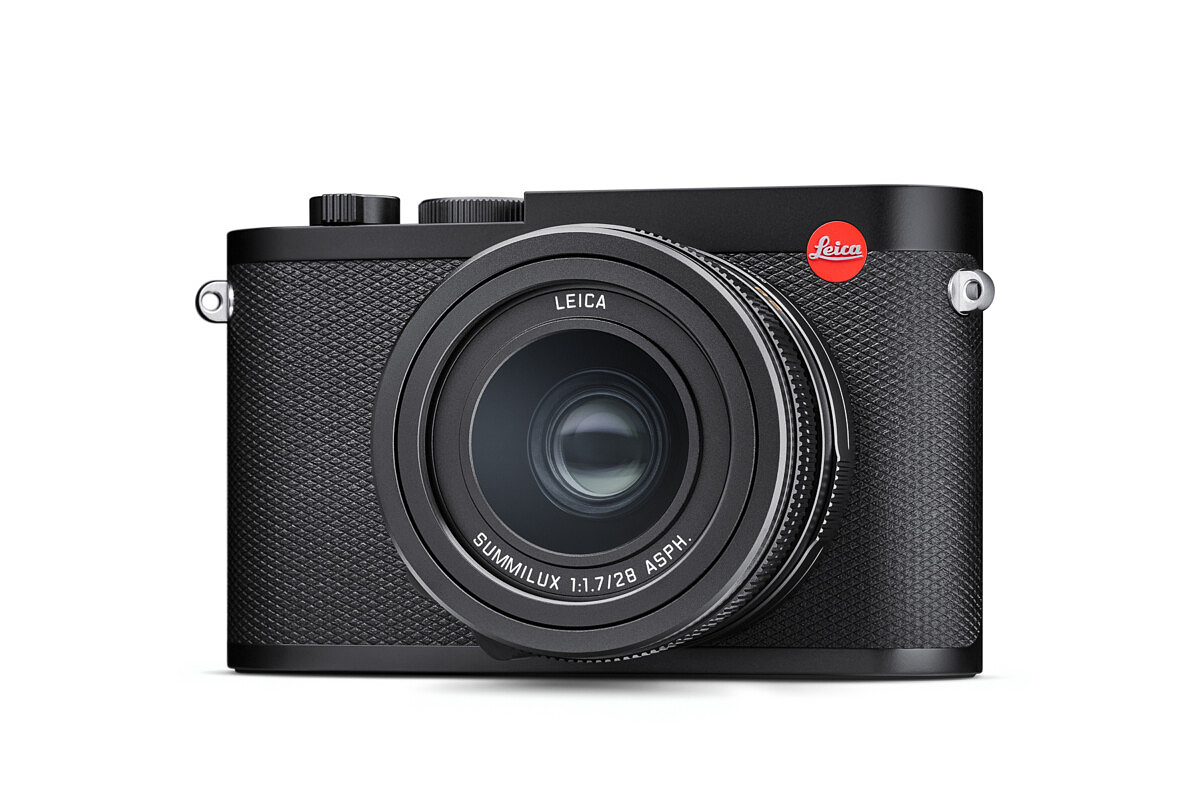
The headlining changes include the brand new 47 megapixel full-frame CMOS sensor with updated Maestro II image processor, a stunning 3.68 MP OLED EVF, revised camera controls, and a larger battery from the SL, not to mention full weather and dust sealing. As good as the original Q was, and still is, the Leica Q2 is a giant leap forward. Let’s take a look at some of the bigger changes. You can also check out our hands-on video here:
New Sensor
At the heart of the Leica Q2 is a newly developed 47.3 megapixel full-frame CMOS sensor, offering almost double the resolution of the Q (Typ 116). The additional pixels now make using the built-in crop modes a much more realistic option. At the 35mm setting, you’ll now get 30MP and at 50mm expect 15MP. There’s also a new mode, 75mm, which will result in a 7MP final image. If you do use the crop modes, the on-screen review will show the cropped images, but rest assured that the DNG recorded to the SD card still contains the uncropped, full image off the sensor.
The maximum ISO remains unchanged at 50,000, but we’re expecting a slight improvement in performance. Even if noise remains the exact same as the previous 24MP sensor in the Q, the result should still be better. Keep in mind that magnification at viewing size, be it online or in print, will be much less due to the increased pixel count. This means that any noise will be smaller and less noticeable. We’ll reserve judgement until we can fully evaluate for ourselves, but our initial impression after some quick test shots show about a one stop improvement.
Weather Sealed Body
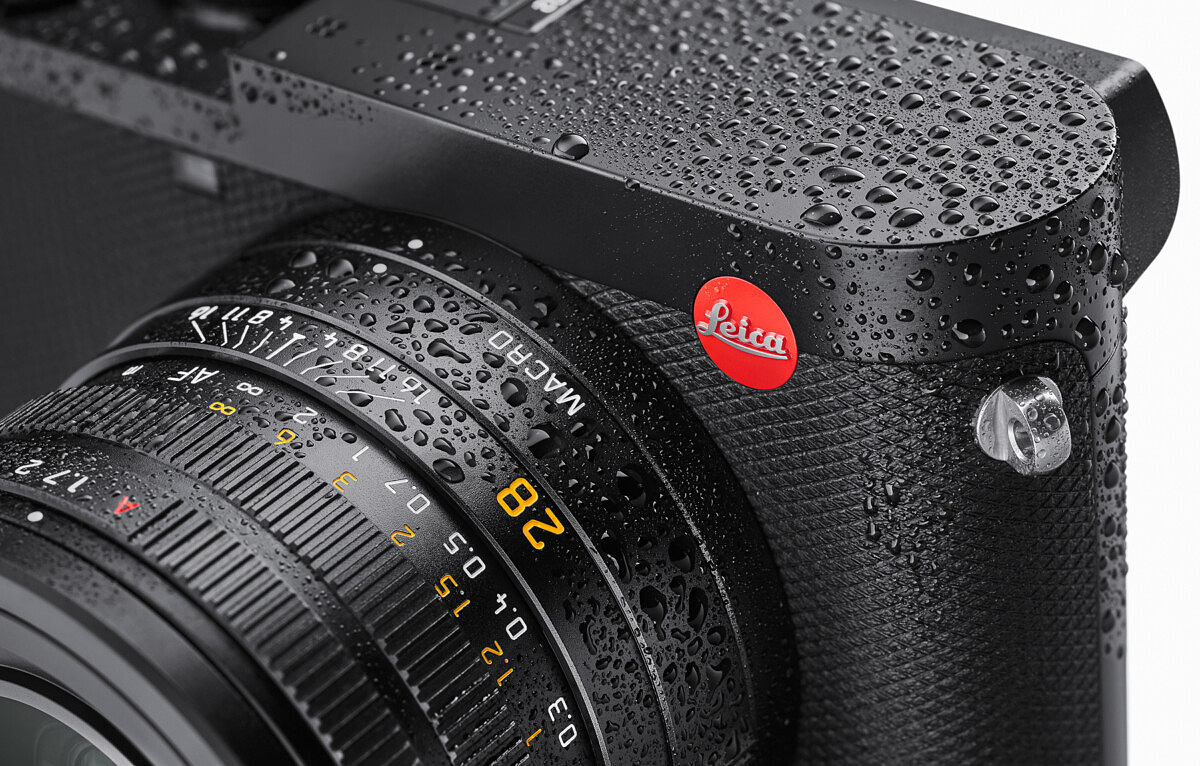
Full weather sealing has been a frequent request from the Q community, and Leica has listened. Everything from the battery compartment to the lens now has extensive gasketing like the larger S and SL cameras. This makes the Q2 an even more ideal travel companion now that you don’t have to worry about putting it away if the weather goes south. Part of the sealing process has been to remove the port door on the side of the camera. So, the Q2 no longer has USB or HDMI out.
New OLED Viewfinder
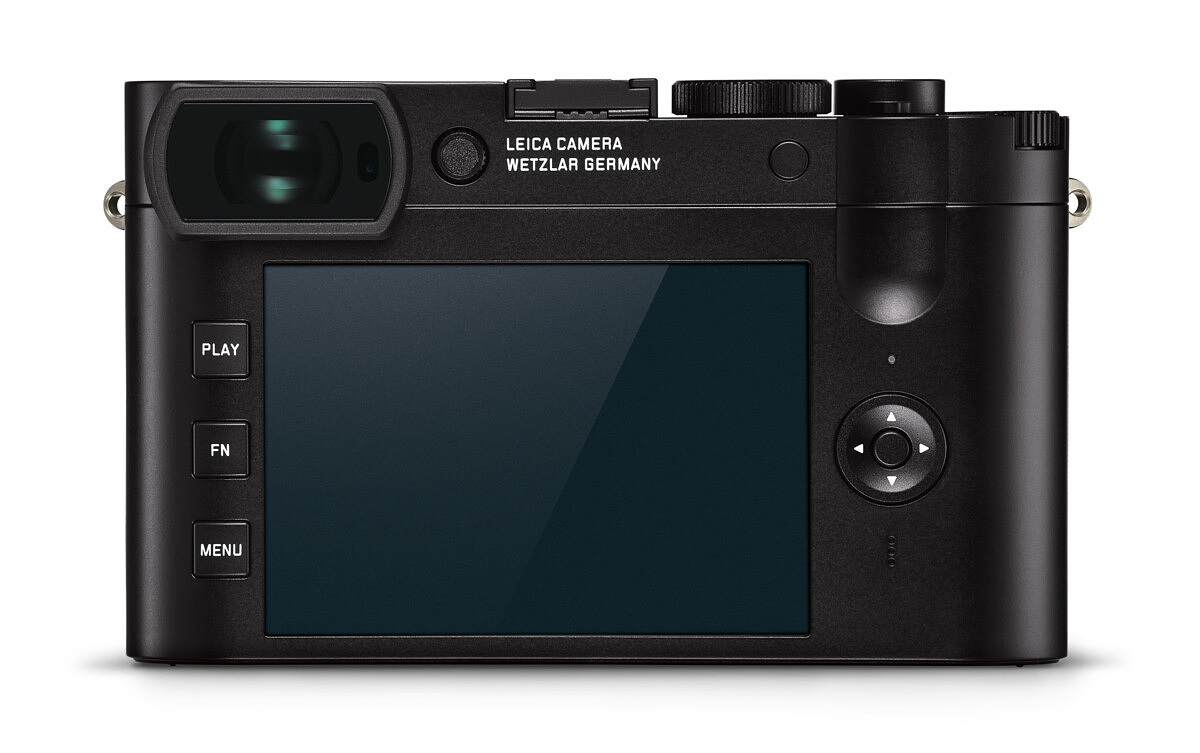
The EVF resolution of 3.68MP is unchanged from the original Q, but the move from an LCD to an OLED panel has resulted in a massive jump in viewfinder quality. One look through the finder and you can immediately see the improved color gamut and accuracy, with a brighter and clearer image. Greater magnification and additional eye relief also contribute to a fantastic viewfinder experience, which is crucially important on a live view camera.
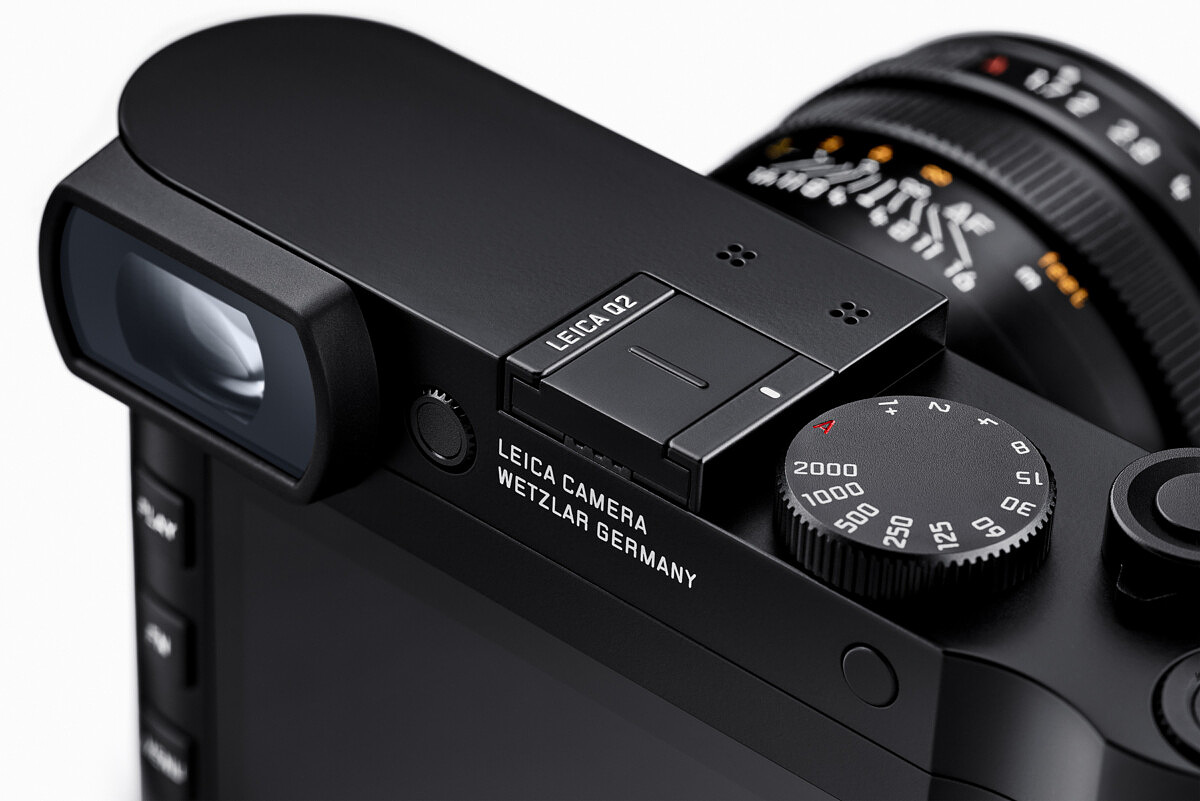
The updated diopter correction dial features an ingenious design. The dial is fully recessed into the back of the camera. A single click and it pops out, can be turned to adjust, then clicked back into place. This eliminates the possibility of accidentally knocking the diopter yet still allows for easy tweaking.
New battery
Due to the higher power requirements of the 47MP sensor, the Leica Q2 has switched from the BP-DC12U to the BP-SCL4. This is the same battery used in the SL and should result in longer run times and more shots per charge. The move also makes a lot of sense, since so many Leica SL users keep a Q as a second body. Being able to share batteries and chargers sure beats having to carry two completely different power setups. The only drawback here is the increased cost of the larger batteries.
4K Video
We now have some additional video options on the Leica Q2, with the ability to shoot Cine 4K and 4K UHD, as well as Full HD at 120fps. Interestingly, all the video modes use almost the entirety of the sensor, with very little cropping, even at 4K. This was a nice surprise and adds to the utility of the camera. Unfortunately, no HDMI output and no microphone input limit recording to SD card and sound to the stereo microphones on top of the camera. Even though its use for vlogging might be limited, the Q2 could make a very interesting B roll camera with its wide, fast and close focusing lens.
Faster everything
Thanks to the refreshed Maestro II family image processor, the Leica Q2 is blazingly fast in all areas. Even with twice the pixels, the processor manages to still churn through 10 frames per second at maximum burst. And that speed translates to the autofocus system as well, with the Q2 locking in quicker than the Q. The electronic shutter has been juiced up too, from 1/16,000th to an insane 1/40,000th of a second. Honestly, I can’t imagine a practical application for ever needing such a high shutter speed, but it’s cool, nonetheless. To record such massive image data, about 85 MB per DNG file, the Q2 employs full UHS-II SD card compatibility. The speed difference? In our testing, we saw an almost 60% faster image recording rate with a 300MB/s UHS-II card versus an already quick 95MB/s UHS-I card.
Better connectivity
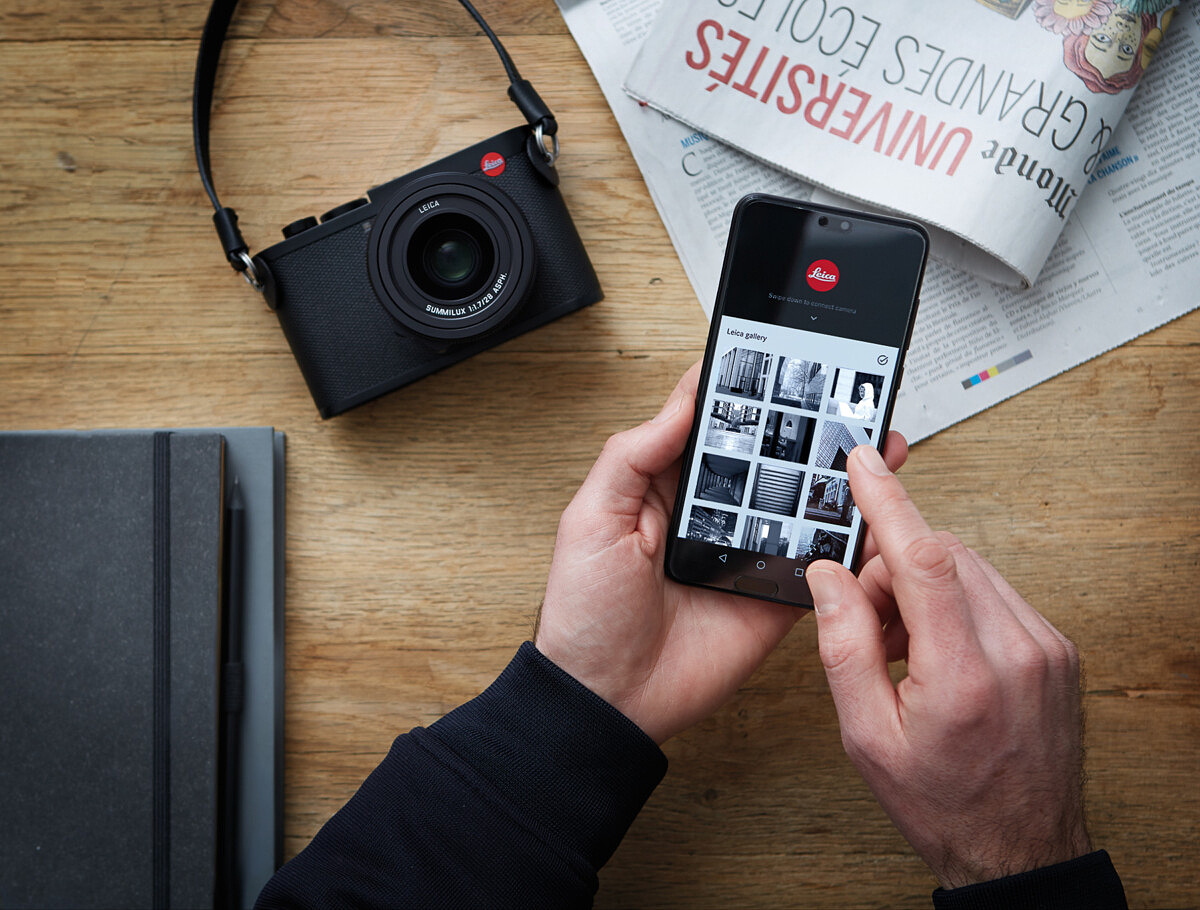
Every current Leica digital camera now has built-in Wi-Fi and connects to the Leica FOTOS app for iOS and Android. But the Leica Q2 goes one step farther by incorporating Bluetooth LE (Low Energy). The Wi-Fi/BT combo facilitates an always-on connection so when you fire up the app, the camera instantly responds. Unfortunately, since the new FOTOS v1.2 app won’t be released until April 3, we weren’t able to test this new feature.
Revised controls
Besides the under-the-hood upgrades we’ve already covered, the Leica Q2 also gets some external changes. Most are functional and not merely cosmetic. On the back of the camera, the five rear buttons of the original Q have given way to the three-button setup that are now standard on the M10 and CL: PLAY, FN and MENU.
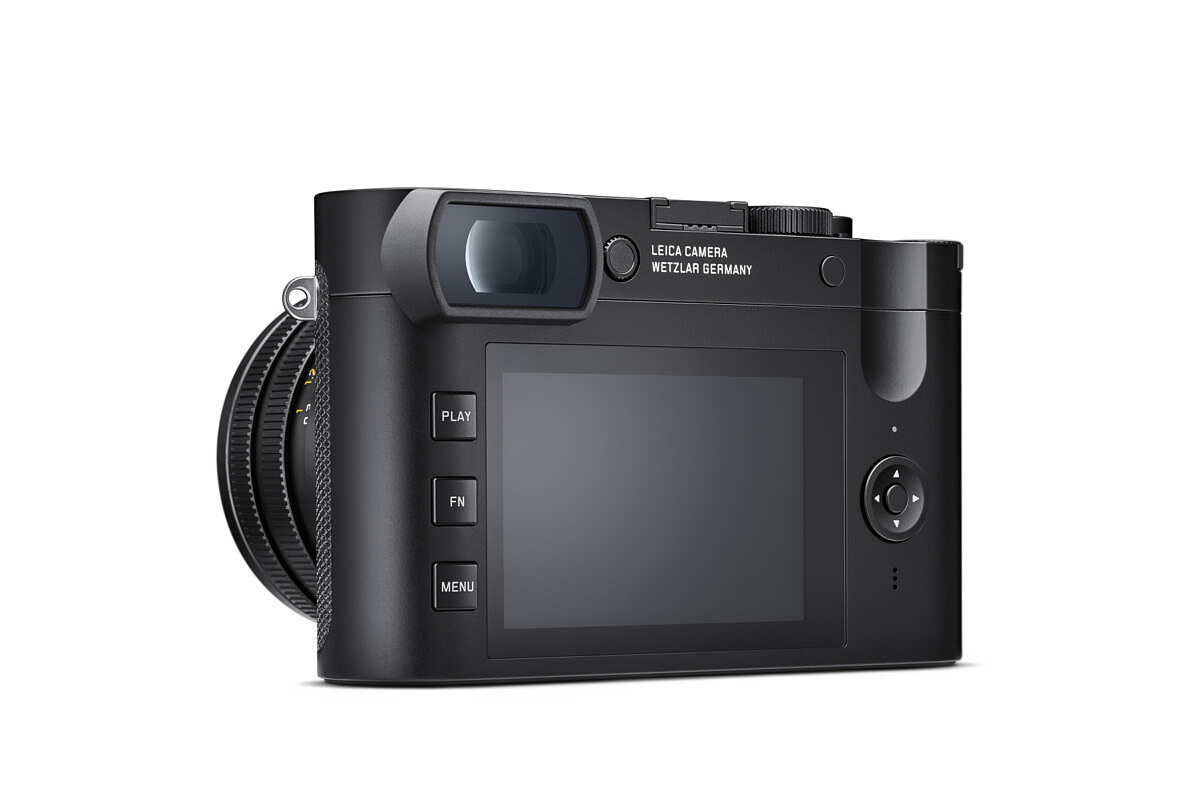
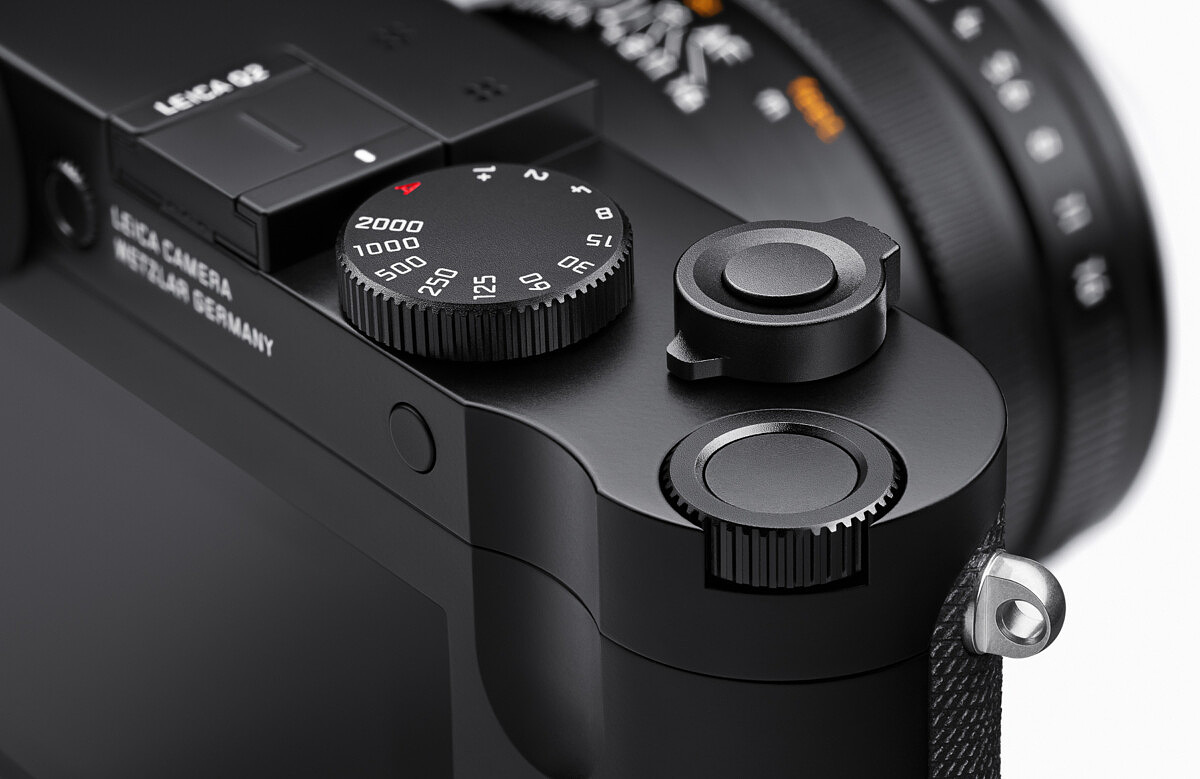
As mentioned above, the diopter has been moved from its previously difficult to reach placement on the side of the eyecup to its right, recessed in the body. Moving to the top of the camera, the changes are subtler. The shutter speed dial remains in same spot but gets a little makeover and more significant detents. A single stage on/off switch takes the place of the old three-position one. And the shutter release echoes that of the recent Q-P. Here, we can also see that the video button is gone, but the top/rear thumb wheel now includes the center function button that works so well on the CL. The wheel itself is much firmer, and has been moved slightly forward, both in an effort to address any inadvertent dial turns as well as increasing tactile feedback.
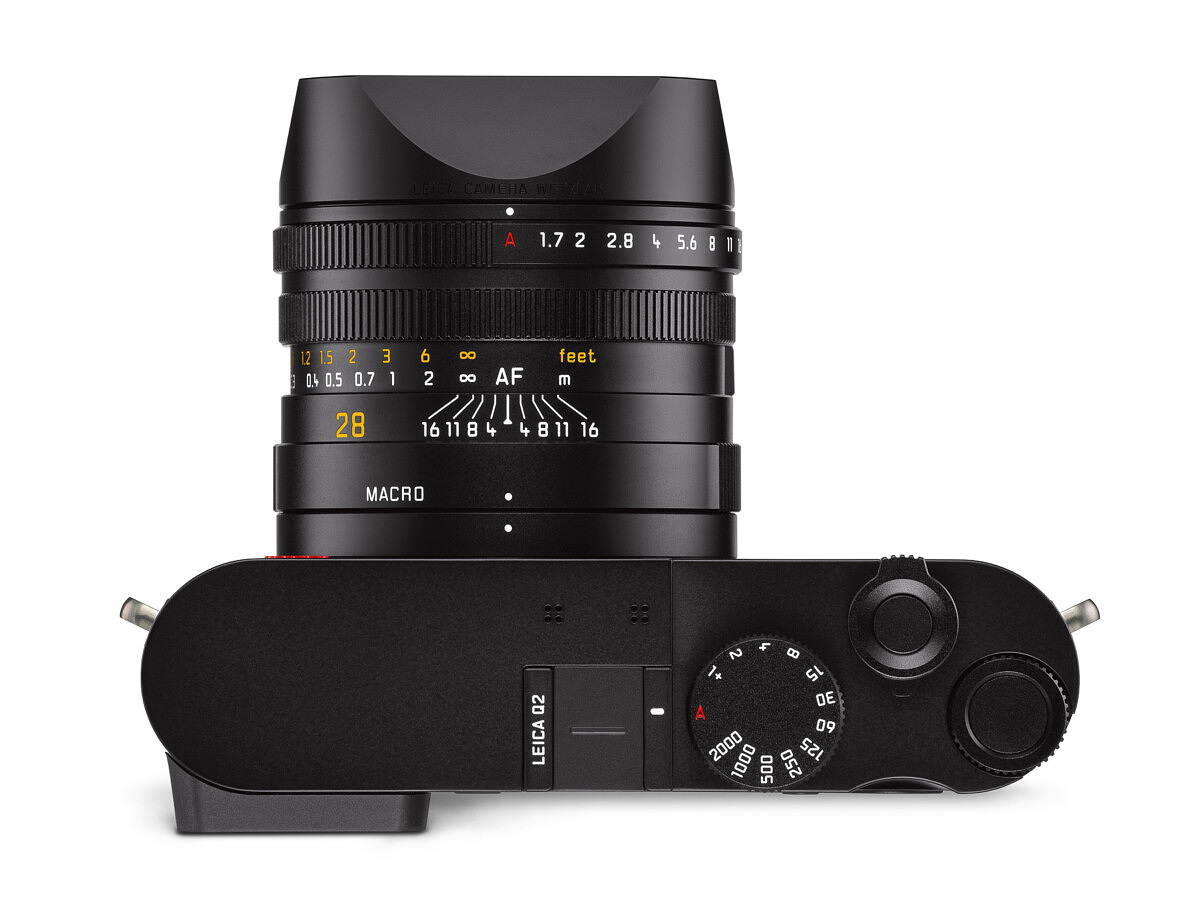
On the lens, the aperture and macro mode rings have been widened for improved handling. All three lens controls feel smoother and with more pronounced detents.
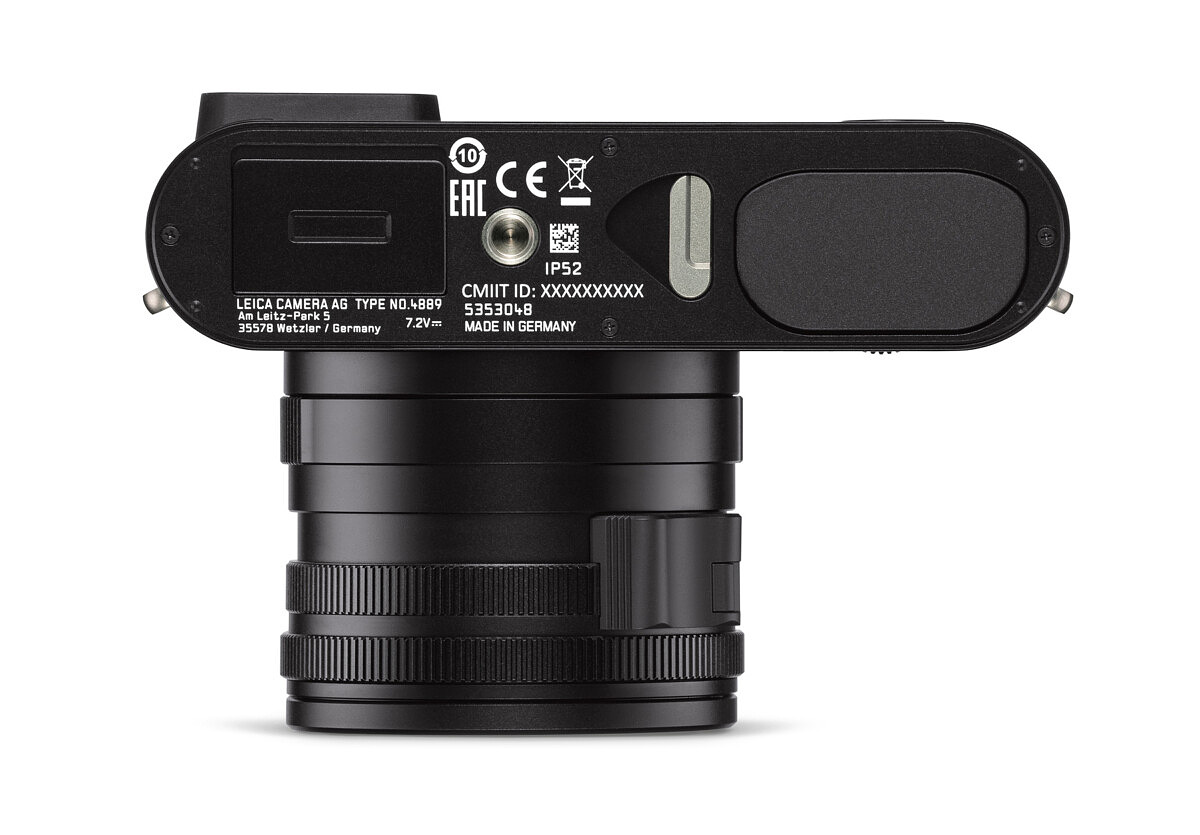
The bottom of the camera has some obvious changes. Absent is the battery/card door combo. In its place, the BP-SCL4 battery now slots directly into the Q2, as it does on the SL. A metal latch releases the battery, but a soft press upwards is still necessary to fully remove it. This prevents accidentally dropping the battery on the ground, or worse. On the other end, a new rectangular metal door hides the SD card slot. The door requires a slide towards the back to open. Both the openings are fully weather sealed.
Final Thoughts and Ordering
The Leica Q2 offers some incredible improvements over the already capable Leica Q (Typ 116). The jump to 47MP now makes the Q2 the highest resolution Leica digital camera, at least until the S3 comes out in a few months. And this certainly opens the question about where the SL and M systems are headed in the future. Will we see the same sensor make its way into other Leica cameras, like what happened with the first Q and SL? Only time will tell, but for now, the Q2 at $4,995 represents an incredible value. Throw in weather sealing, the gorgeous OLED viewfinder, higher-capacity battery, much improved handling, as well as faster everything, and the revised Leica Q2 promises to be just as big a hit as the original.
Deliveries have already started in very limited quantities. If you are interested in placing an order for the Leica Q2, you can do so at Leica Store Miami, by calling them at 305-921-4433, sending an email, or by clicking the link below.
Press Release
Leica Q2: Every great story deserves a sequel
Leica Camera is pleased to announce the introduction of its latest camera, and the new evolution of one of its most popular recent releases, the Leica Q2. The Leica Q2 features a brand new 47.3 megapixel full
frame sensor, integrated weather sealing throughout the body and built-in Summilux 28 mm f/1.7 lens, a
brand new electronic viewfinder, lightning-fast autofocus and burst shooting, 4K video, a revised button
layout and refined design.
Main Features and Benefits:
- Newly developed 47.3 MP full frame sensor for best-in-class image quality
- Built-in crop modes are now improved to 30 MP at 35 mm, 15 MP at 50 mm, and 7 MP at a new 75 mm
- Fully weather-sealed to brave the elements and always get the shot while maintaining a compact body
- New 3.68 MP OLED EVF for an improved view of the scene with better color and clarity
- Fixed Summilux 28 mm f/1.7 ASPH. lens for tack-sharp images and impeccable low-light quality
- New processor from the Maestro II family ensuring peak performance at these new heights of resolution
- Fast autofocus and 10 fps burst shooting to never miss a crucial moment
- 4K video with UHD and Cine4K resolutions for easy on-the-go high quality recording
- Refined control elements inspired by design languages established with the Leica M10 and CL
- Made in Germany for the most premium quality materials and craftsmanship
- Bluetooth LE (Low Energy) for easier pairing with Leica FOTOS and a continuous connection
- The perfect everyday-carry lightweight travel companion with image quality capable of pro-level output
New Sensor With 95% More Resolution Than Its Predecessor
The Leica Q2’s newly developed 47.3 megapixel full frame sensor boasts the highest resolution in its class. Matched with the high resolving power of its built-in Summilux lens, the Leica Q2 goes beyond the conventional use-cases of a 28 mm focal length via its built-in crop functions for equivalent focal lengths of 35 mm, 50 mm, and the newly available 75 mm – bringing with it more possibilities in the world of portraiture and close-up work. This new sensor maintains a 30 MP image when cropped to a 35 mm equivalent frame, even more than the original Leica Q’s maximum of 24 MP at 28 mm. When shooting cropped DNG files the full sensor image is still recorded, allowing the user to undo or change the crop during postprocessing. These newfound heights of resolution and flexibility, combined with high ISO performance and a fast aperture make the Leica Q2 the perfect companion for all areas of street, architectural, landscape, travel, documentary, reportage and even portrait photography.
Weather Sealing and Improved Battery Life
The Leica Q2’s IP52-certified weather sealing protects the camera from dust, rain and water spray and ensures users can photograph under challenging environmental conditions. The adoption of the BPSCL4 battery from the Leica SL boosts battery life by 30% over the original Leica Q, and its built-in rubber gasket further helps seal the Q2. This level of weather-sealing is usually reserved for pro-level cameras such as the Leica SL and Leica S, putting the Q2 at that similar level of resilience, and is especially helpful under challenging environmental conditions.
New OLED High-Resolution EVF
The Leica Q2 features a newly developed high-resolution OLED viewfinder, which offers a lag-free high refresh rate and faster auto-switching between the rear display and EVF. The high resolution of 3.68 megapixels in the viewfinder provides the clearest vision of the user’s composition to perfectly and accurately frame subjects. OLED panels, known today for being utilized in the highest quality smartphone and TV screens on the market, are superior to LCDs as they control each pixel’s brightness independently – this yields a better color depth and quality for a more pleasing experience every time the camera is raised to the user’s eye.
Speed Speed Speed + 4K Video
The autofocus system of the Leica Q2 focuses sharply on the subject within milliseconds, making it one of the fastest cameras in its class. Improvements to its new processor from the Maestro II family have enabled a high continuous burst shooting rate with an impressive 10 frames per second from the mechanical shutter, even at maximum resolution. The Leica Q2 adds 4K UHD and Cine4K video recording to its arsenal of features, with frame rate options across 4K and 1080p.
In combination with the Leica FOTOS App, the camera’s integrated Wi-Fi module makes it possible to quickly and easily share pictures and video via social media, and thanks to Bluetooth LE (Low Energy) a permanent connection can be established between camera and smartphone. Now users can even remotely wake the camera and connect any time when in range. (Leica FOTOS v1.2 with Q2 compatibility scheduled to launch April 3)
Refined Design and Improved Handling
The design of the Leica Q carries forward the Leica tradition of reduction to the essentials. The ‘Made in Germany’ seal of quality guarantees that only the finest and most resilient materials are employed in its construction. The distinctive thumb rest of the new Leica Q2 and the sophisticated diamond pattern of its leather trim ensure optimum grip and highlight the symbiosis of function and form. Also new is the camera’s uniquely intuitive handling concept, following refined design language cues established from its brethren in the Leica M10 and Leica CL families – such as the single-stage On/Off switch, simplified three-button interface on the rear of the camera and programmable button within the thumb wheel dial. A new highlight of the Leica Q2 layout is the push-button diopter compensation dial on the back of the camera that locks and prevents inadvertent changes to the user’s desired setting. Every refinement, both large and small, pushes Leica’s design forward without losing sight of the core philosophy of the camera.
New Accessories
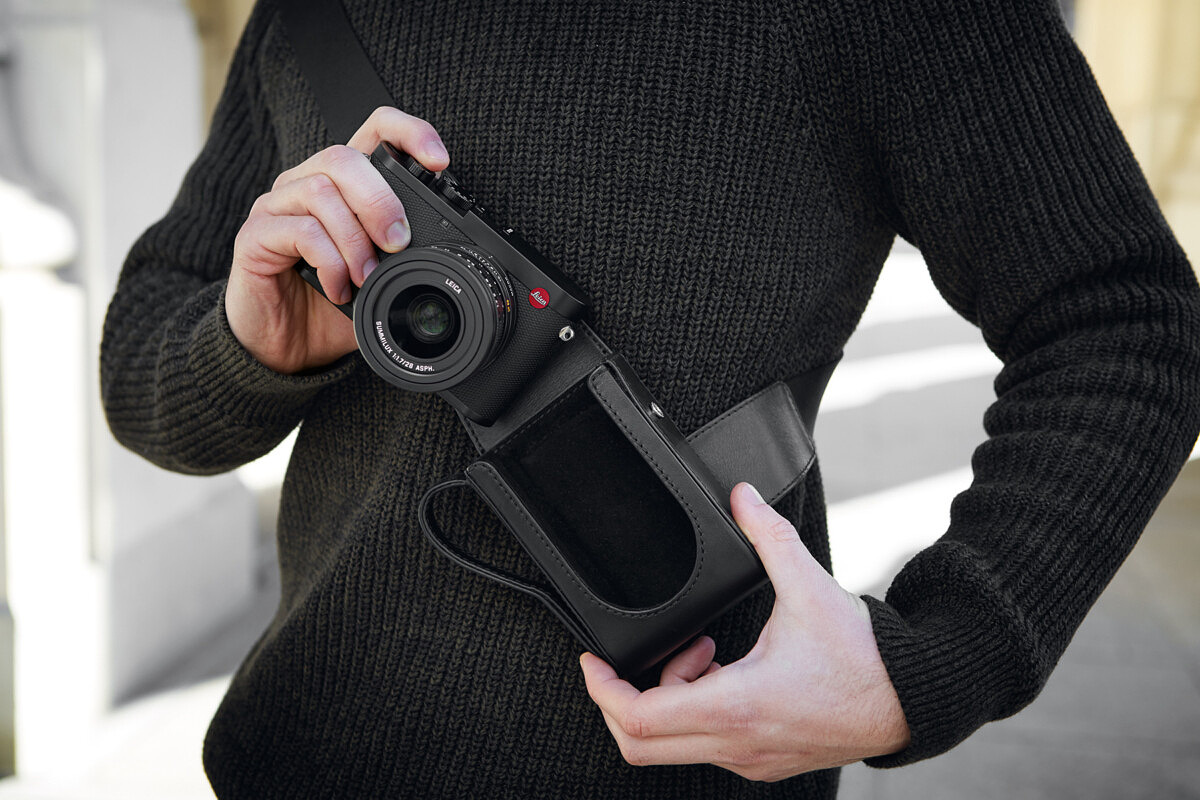
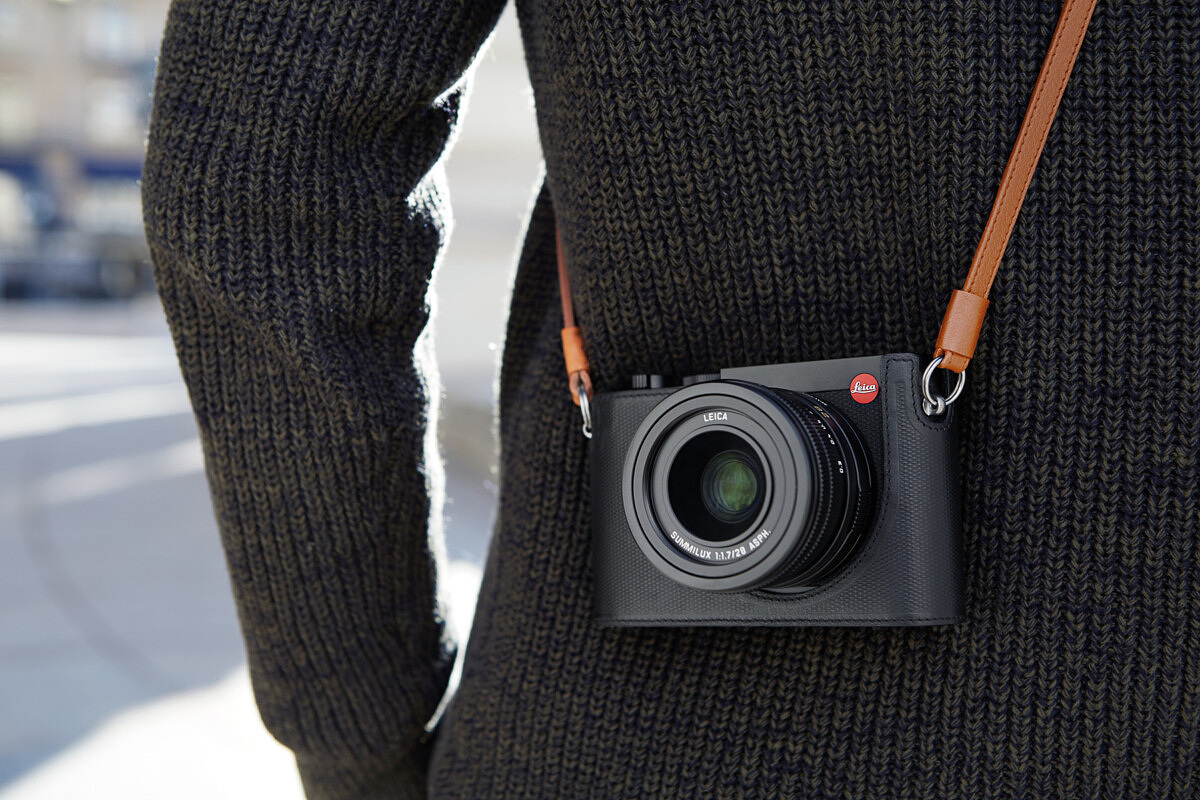
A comprehensive range of optional accessories is also available for the Leica Q2. These include matching camera protector cases and carrying straps in premium-quality classic black and brown leather, and more vibrant versions in red and pink. The elegant new ‘Ettas’ line of soft, coated canvas pouches for various Leica camera models will also be launched at the same time as the Leica Q2. The pouches will initially be available in midnight blue, stone gray and red colorways, with more still to come. The accessory selection also includes technical equipment for the Leica Q2 such as the Leica SF 40, SF 60 flash units, the SF C1 remote flash control unit and an additional add-on thumb rest and handgrip. All accessories are functionally designed for easy handling, perfectly matching the quality and design of the camera and are manufactured from only the finest materials to ensure reliability for a lifetime of use.
For complete information and tech specs go here:
For other articles on this blog please click on Blog Archive in the column to the right
To comment or to read comments please scroll past the ads below.
All ads present items of interest to Leica owners.
_______________________________________________________________________
For other articles on this blog please click on Blog Archive in the column to the right
To comment or to read comments please scroll past the ads below.
All ads present items of interest to Leica owners.
_______________________________________________________________________




 Buy vintage Leica cameras from
America's premier Leica specialist
Buy vintage Leica cameras from
America's premier Leica specialist


Buy vintage Leica cameras from
America's premier Leica specialist


Click on image to enlarge
 Order: info@gmpphoto.com
Please make payment via PayPal to GMP Photography
Order: info@gmpphoto.com
Please make payment via PayPal to GMP Photography
Click on image to enlarge
 Order: info@gmpphoto.com
Click on image to enlarge
 Order: info@gmpphoto.com
Click on image to enlarge

Order: info@gmpphoto.com
Please make payment via PayPal to GMP Photography
Click on image to enlarge

Order: info@gmpphoto.com
Please make payment via PayPal to GMP Photography
Click on image to enlarge

Order: info@gmpphoto.com
Please make payment via PayPal to GMP Photography